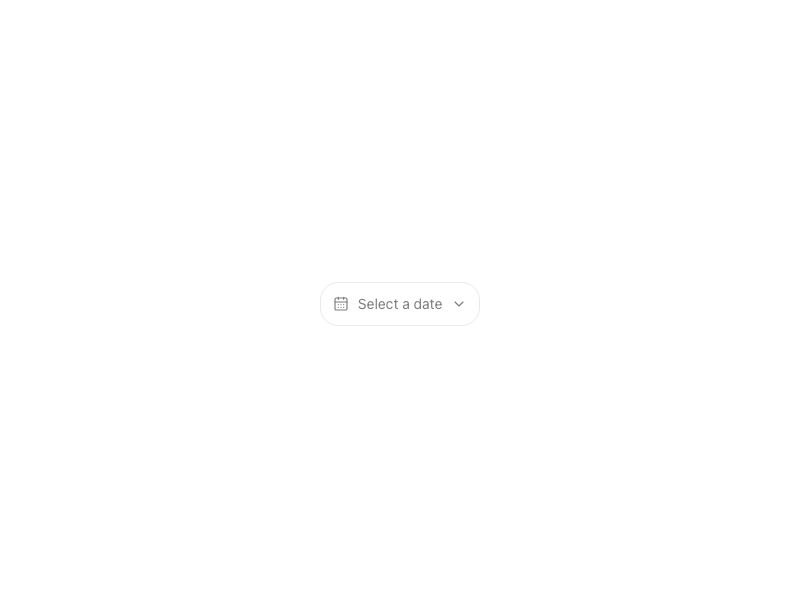
Date PickerNew

Live component. Click, hover, and type to try it.
Install
npx shadcn@latest add https://boardui.com/r/date-picker.jsonAbout
Single-date picker with month navigation, built on React Aria.
Live component. Click, hover, and type to try it.
npx shadcn@latest add https://boardui.com/r/date-picker.jsonSingle-date picker with month navigation, built on React Aria.
"use client";

import { useTemplateCopy } from "@/components/foundations/template-copy/template-copy";

import { useEffect, useRef, useState } from "react";
import type { RefObject } from "react";
import { Calendar, Dialog, Popover, useLocale } from "react-aria-components";
import type { CalendarDate } from "@internationalized/date";
import { RiCalendarLine } from "@remixicon/react";
import { AnimatePresence, motion } from "motion/react";
import { Button } from "@/components/base/buttons/button";
import {
  DateChipInput,
  MonthPanel,
  formatTriggerDate,
  popoverClassName,
  triggerButtonClassName,
} from "@/components/base/date-picker/shared";
import { cx } from "@/utils/cx";
import { useDismissOnOutsidePress } from "@/utils/use-dismiss-on-outside-press";

/**
 * Figma source: Board UI → "Calendar_single" (node 3879:6708).
 *
 * A single-date picker: trigger button opens a popover with one month
 * (react-aria's plain `Calendar`, so both nav chevrons are fully functional —
 * unlike `DateRangePicker`'s dual view, there's only one month to navigate)
 * and a footer with an editable "DD/MM/YYYY" chip plus Cancel/Apply. No
 * quick-select sidebar in this Figma frame.
 *
 * Reuses the exact chevrons, day-cell rendering, month-panel chrome, editable
 * date chip, and trigger/popover surfaces built for `DateRangePicker` — see
 * `./shared`. A plain `Calendar`'s `CalendarCellRenderProps` always reports
 * `isSelectionStart === isSelectionEnd === isSelected` for the one chosen
 * day, so the shared `DayCell` renders it as a single fully-rounded pill
 * with no connecting range background, matching Figma without any
 * single-vs-range branching in the cell itself.
 *
 * Standalone `Popover` + `triggerRef` (like `MeetingScheduler`), not
 * `DialogTrigger`, so an external trigger can be swapped in: pass
 * `triggerRef`/`isOpen`/`onOpenChange` to anchor the popover to your own
 * element (e.g. the calendar template's month-switcher label) instead of
 * DatePicker's own button, which is hidden in that case.
 */

export interface DatePickerProps {
  value?: CalendarDate | null;
  defaultValue?: CalendarDate | null;
  onChange?: (value: CalendarDate | null) => void;
  isDisabled?: boolean;
  className?: string;
  "aria-label"?: string;
  /** Anchor the popover to an external element instead of DatePicker's own
   *  trigger button (which is hidden when this is provided). Pair with
   *  `isOpen`/`onOpenChange` for full external control. */
  triggerRef?: RefObject<HTMLElement | null>;
  isOpen?: boolean;
  onOpenChange?: (isOpen: boolean) => void;
}

export function DatePicker({
  value,
  defaultValue = null,
  onChange,
  isDisabled,
  className,
  "aria-label": ariaLabel = "Date",
  triggerRef: externalTriggerRef,
  isOpen: controlledIsOpen,
  onOpenChange: controlledOnOpenChange,
}: DatePickerProps) {
  const localize = useTemplateCopy();
  const { locale } = useLocale();
  const ownTriggerRef = useRef<HTMLButtonElement>(null);
  const triggerRef = externalTriggerRef ?? ownTriggerRef;
  const isExternal = externalTriggerRef !== undefined;
  const popoverRef = useRef<HTMLElement>(null);

  const [internalOpen, setInternalOpen] = useState(false);
  const isOpen = isExternal ? (controlledIsOpen ?? false) : internalOpen;
  const setIsOpen = isExternal ? (controlledOnOpenChange ?? (() => {})) : setInternalOpen;

  const isControlled = value !== undefined;
  const [internalValue, setInternalValue] = useState<CalendarDate | null>(defaultValue);
  const committedValue = isControlled ? (value ?? null) : internalValue;

  const [pendingValue, setPendingValue] = useState<CalendarDate | null>(committedValue);
  // React Aria's `Calendar` keeps its own internal `visibleRange` state for
  // as long as it stays mounted (Popover keeps its content mounted between
  // opens for the exit animation), so it never re-derives the visible month
  // from a later `value` change on its own. Bumping this on every open and
  // keying `Calendar` on it forces a fresh mount showing the right month —
  // needed for the external-trigger case, where `value` can jump (e.g. the
  // calendar template's month switcher) between one open and the next.
  const [openKey, setOpenKey] = useState(0);

  // Re-sync the calendar's displayed month/selection to the current
  // committed value every time the popover opens — not just when DatePicker's
  // own trigger toggles it, but also when `isOpen` is flipped true by an
  // external trigger (`triggerRef`), which never runs `openChange` below.
  useEffect(() => {
    if (isOpen) {
      setPendingValue(committedValue);
      setOpenKey((k) => k + 1);
    }
    // eslint-disable-next-line react-hooks/exhaustive-deps -- resync on the open transition only, not every committedValue change
  }, [isOpen]);

  const commit = (next: CalendarDate | null) => {
    if (!isControlled) setInternalValue(next);
    onChange?.(next);
    setIsOpen(false);
  };

  const openChange = (open: boolean) => {
    setIsOpen(open);
  };

  useDismissOnOutsidePress(isOpen, () => setIsOpen(false), [triggerRef, popoverRef]);

  return localize((
    <>
      {!isExternal && (
        <button
          ref={ownTriggerRef}
          type="button"
          disabled={isDisabled}
          onClick={() => openChange(!isOpen)}
          className={cx(triggerButtonClassName, className)}
        >
          <RiCalendarLine className="size-5 shrink-0 text-foreground-icon-primary" aria-hidden />
          <span className="flex items-center justify-center whitespace-nowrap px-1 text-body-medium text-text-primary">
            {committedValue ? formatTriggerDate(committedValue, locale) : "Select date"}
          </span>
        </button>
      )}
      <Popover
        ref={popoverRef}
        triggerRef={triggerRef}
        isOpen={isOpen}
        onOpenChange={openChange}
        offset={4}
        placement="bottom end"
        isNonModal
        className={popoverClassName}
      >
        <Dialog aria-label={ariaLabel} className="outline-none">
          <Calendar key={openKey} aria-label={ariaLabel} value={pendingValue} onChange={setPendingValue}>
            <div className="flex flex-col pt-2 pe-2 pb-3 ps-2">
              <MonthPanel offset={0} showPrev showNext />
              <div className="flex items-center justify-between pt-3 pe-4 ps-4">
                <div>
                  <AnimatePresence>
                    {pendingValue && (
                      <motion.div
                        key="date-summary"
                        initial={{ opacity: 0, y: -12 }}
                        animate={{ opacity: 1, y: 0 }}
                        exit={{ opacity: 0, y: -12 }}
                        transition={{ duration: 0.25, ease: [0.34, 1.2, 0.64, 1] }}
                      >
                        <DateChipInput date={pendingValue} label="Date" onCommit={setPendingValue} />
                      </motion.div>
                    )}
                  </AnimatePresence>
                </div>
                <div className="flex items-center gap-2.5">
                  <Button
                    variant="secondary"
                    onClick={() => {
                      setPendingValue(committedValue);
                      setIsOpen(false);
                    }}
                  >
                    Cancel
                  </Button>
                  <Button onClick={() => commit(pendingValue)} disabled={!pendingValue}>
                    Apply
                  </Button>
                </div>
              </div>
            </div>
          </Calendar>
        </Dialog>
      </Popover>
    </>
  ));
}