Date pickerNew
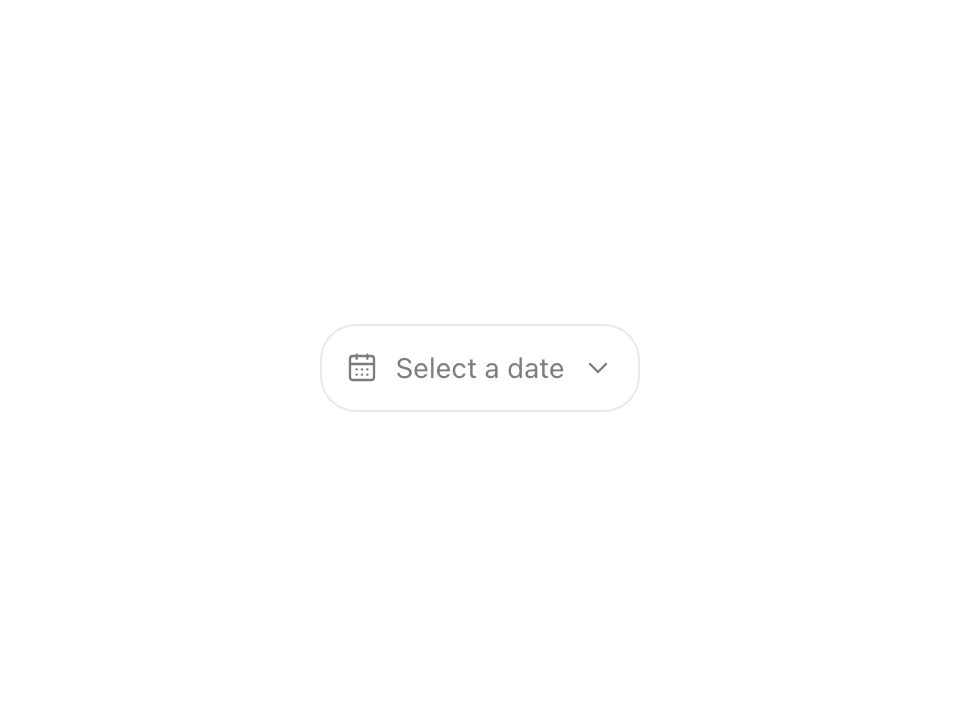
Live component. Click, hover, and type to try it.
Install
npx shadcn@latest add https://uiarc.dev/r/date-picker.jsonAbout
Choose a date without losing context.
Live component. Click, hover, and type to try it.
npx shadcn@latest add https://uiarc.dev/r/date-picker.jsonChoose a date without losing context.
"use client";

import { useEffect, useId, useRef, useState } from "react";
import type { ButtonHTMLAttributes, FocusEvent, KeyboardEvent } from "react";
import { AnimatePresence, motion, useReducedMotion } from "motion/react";
import type { Variants } from "motion/react";
import { CalendarDays, ChevronDown } from "lucide-react";
import { Calendar, type CalendarDateMatcher } from "../calendar/calendar";
import { motionTokens } from "../lib/motion-tokens";
import styles from "./date-picker.module.css";

export interface DatePickerProps extends Omit<ButtonHTMLAttributes<HTMLButtonElement>, "value" | "onChange"> {
  label: string;
  value?: Date;
  onChange?: (date: Date | undefined) => void;
  description?: string;
  placeholder?: string;
  minDate?: Date;
  maxDate?: Date;
  disabledDates?: CalendarDateMatcher;
  locale?: string;
  format?: Intl.DateTimeFormatOptions;
  /** Adds a Today button to the calendar header. */
  showToday?: boolean;
}

const monthStart = (date: Date) => new Date(date.getFullYear(), date.getMonth(), 1);
const { spring, duration, ease, blur } = motionTokens;
const instant = { duration: duration.instant };
/** Each part of the date rolls with time: a later date rises from below, an earlier one drops from above. Parts that did not change stay still. */
const valueRoll: Variants = {
  enter: (direction: number) => ({ opacity: 0, y: `${direction * 0.35}em`, filter: `blur(${blur.soft}px)` }),
  center: { opacity: 1, y: 0, filter: "blur(0px)", transition: { duration: duration.standard, ease: ease.enter } },
  exit: (direction: number) => ({ opacity: 0, y: `${direction * -0.3}em`, filter: `blur(${blur.subtle}px)`, transition: { duration: 0.14, ease: ease.standard } }),
};
/** Reduced motion keeps a short crossfade; resting values match the roll so server and client markup agree. */
const valueFade: Variants = { enter: { opacity: 0 }, center: { opacity: 1, y: 0, filter: "blur(0px)", transition: instant }, exit: { opacity: 0, transition: instant } };
/** The footer confirms the pick: new copy rises in with a soft blur while the old line lifts away. */
const statusRise: Variants = {
  enter: { opacity: 0, y: "0.3em", filter: `blur(${blur.soft}px)` },
  center: { opacity: 1, y: 0, filter: "blur(0px)", transition: { duration: duration.standard, ease: ease.enter } },
  exit: { opacity: 0, y: "-0.3em", filter: `blur(${blur.subtle}px)`, transition: { duration: 0.14, ease: ease.standard } },
};

export function DatePicker({ label, value, onChange, description, placeholder = "Select a date", minDate, maxDate, disabledDates, locale = "en-US", format = { month: "short", day: "numeric", year: "numeric" }, showToday, id, className, disabled, ...buttonProps }: DatePickerProps) {
  const generatedId = useId();
  const controlId = id ?? generatedId;
  const hintId = description ? `${controlId}-description` : undefined;
  const [open, setOpen] = useState(false);
  const [month, setMonth] = useState(monthStart(value ?? new Date()));
  const rootRef = useRef<HTMLDivElement>(null);
  const triggerRef = useRef<HTMLButtonElement>(null);
  const popoverRef = useRef<HTMLDivElement>(null);
  const closeTimer = useRef<number | undefined>(undefined);
  const formatter = new Intl.DateTimeFormat(locale, format);
  const reduce = useReducedMotion() ?? false;
  const time = value?.getTime() ?? null;
  const [previousTime, setPreviousTime] = useState(time);
  const [direction, setDirection] = useState(1);
  if (previousTime !== time) { setPreviousTime(time); setDirection(time === null || previousTime === null || time >= previousTime ? 1 : -1); }
  const shown = value ? formatter.format(value) : placeholder;
  const parts = value ? formatter.formatToParts(value) : [];
  // Parts after a wider or narrower segment move on the same curve the new text arrives on, so they never overlap it.
  const partMotion = reduce ? { duration: 0 } : { duration: duration.standard, ease: ease.enter };

  useEffect(() => {
    const onPointerDown = (event: PointerEvent) => { if (!rootRef.current?.contains(event.target as Node)) { window.clearTimeout(closeTimer.current); setOpen(false); } };
    document.addEventListener("pointerdown", onPointerDown);
    return () => { document.removeEventListener("pointerdown", onPointerDown); window.clearTimeout(closeTimer.current); };
  }, []);

  /** Opening moves focus to the day that owns the tab stop, so arrows work at once; a pointer open shows no ring. */
  useEffect(() => {
    if (open) popoverRef.current?.querySelector<HTMLButtonElement>("[data-present] [data-date][tabindex=\"0\"]")?.focus({ preventScroll: true });
  }, [open]);

  /** Closing hands focus back to the trigger when it was inside the calendar, so keyboard users never land on the page body. */
  const close = () => {
    window.clearTimeout(closeTimer.current);
    if (popoverRef.current?.contains(document.activeElement)) triggerRef.current?.focus();
    setOpen(false);
  };
  /** The calendar always opens on the month of the current value, or today's month. */
  const show = () => { window.clearTimeout(closeTimer.current); setMonth(monthStart(value ?? new Date())); setOpen(true); };
  /** A picked day lets the highlight glide onto it and the footer confirm it, then the calendar returns to the field. */
  const selectDate = (date: Date | undefined) => {
    onChange?.(date);
    window.clearTimeout(closeTimer.current);
    if (reduce || !date) close();
    else closeTimer.current = window.setTimeout(close, 300);
  };
  const onTriggerKeyDown = (event: KeyboardEvent<HTMLButtonElement>) => {
    if ((event.key === "ArrowDown" || event.key === "Enter" || event.key === " ") && !open) { event.preventDefault(); show(); }
    if (event.key === "Escape") close();
  };
  /** Tabbing past the popover closes it; focus moving within the field keeps it open. */
  const onBlur = (event: FocusEvent<HTMLDivElement>) => {
    const next = event.relatedTarget as Node | null;
    if (open && next && !rootRef.current?.contains(next)) { window.clearTimeout(closeTimer.current); setOpen(false); }
  };

  return <div className={[styles.field, className].filter(Boolean).join(" ")} ref={rootRef} onBlur={onBlur}>
    <label className={styles.label} htmlFor={controlId}>{label}</label>
    <div className={styles.anchor}>
      <button {...buttonProps} ref={triggerRef} id={controlId} type="button" disabled={disabled} aria-haspopup="dialog" aria-expanded={open} aria-describedby={hintId} className={styles.trigger} onClick={() => (open ? close() : show())} onKeyDown={onTriggerKeyDown}>
        <CalendarDays size={16} strokeWidth={1.75} aria-hidden="true" />
        <span className={styles.srOnly}>{shown}</span>
        <span className={styles.valueText} aria-hidden="true">
          <AnimatePresence mode="popLayout" initial={false} custom={1}>
            {value ? <motion.span key="value" className={styles.value} custom={1} variants={reduce ? valueFade : valueRoll} initial="enter" animate="center" exit="exit">
              {parts.map((part, index) => <motion.span key={`${index}-${part.type}`} className={styles.part} layout="position" layoutDependency={time} transition={partMotion}>
                {part.type === "literal" ? <span className={styles.partValue}>{part.value}</span> : <AnimatePresence mode="popLayout" initial={false} custom={direction}><motion.span key={part.value} className={styles.partValue} custom={direction} variants={reduce ? valueFade : valueRoll} initial="enter" animate="center" exit="exit">{part.value}</motion.span></AnimatePresence>}
              </motion.span>)}
            </motion.span> : <motion.span key="placeholder" className={styles.placeholder} custom={-1} variants={reduce ? valueFade : valueRoll} initial="enter" animate="center" exit="exit">{placeholder}</motion.span>}
          </AnimatePresence>
        </span>
        <ChevronDown className={styles.chevron} size={16} strokeWidth={1.75} aria-hidden="true" />
      </button>
      <AnimatePresence>
        {open && <motion.div ref={popoverRef} className={styles.popover} role="dialog" aria-label={`${label} calendar`} onKeyDown={(event) => { if (event.key === "Escape") { event.stopPropagation(); close(); } }}
          initial={reduce ? { opacity: 0 } : { opacity: 0, y: -8, scale: .95 }}
          animate={{ opacity: 1, y: 0, scale: 1, transition: reduce ? instant : { ...spring.snappy, opacity: { duration: duration.fast, ease: ease.enter } } }}
          exit={{ opacity: 0, ...(reduce ? {} : { y: -6, scale: .97 }), transition: { duration: 0.14, ease: ease.standard } }}>
          <Calendar value={value} onChange={selectDate} month={month} onMonthChange={setMonth} minDate={minDate} maxDate={maxDate} disabledDates={disabledDates} locale={locale} showToday={showToday} />
          <div className={styles.footer}><button type="button" onClick={() => selectDate(undefined)} disabled={!value}>Clear</button><span className={styles.status}><AnimatePresence initial={false}><motion.span key={time ?? "none"} variants={reduce ? valueFade : statusRise} initial="enter" animate="center" exit="exit">{value ? `Selected ${formatter.format(value)}` : "Choose a day"}</motion.span></AnimatePresence></span></div>
        </motion.div>}
      </AnimatePresence>
    </div>
    {description && <span id={hintId} className={styles.description}>{description}</span>}
  </div>;
}