ReactionsNew
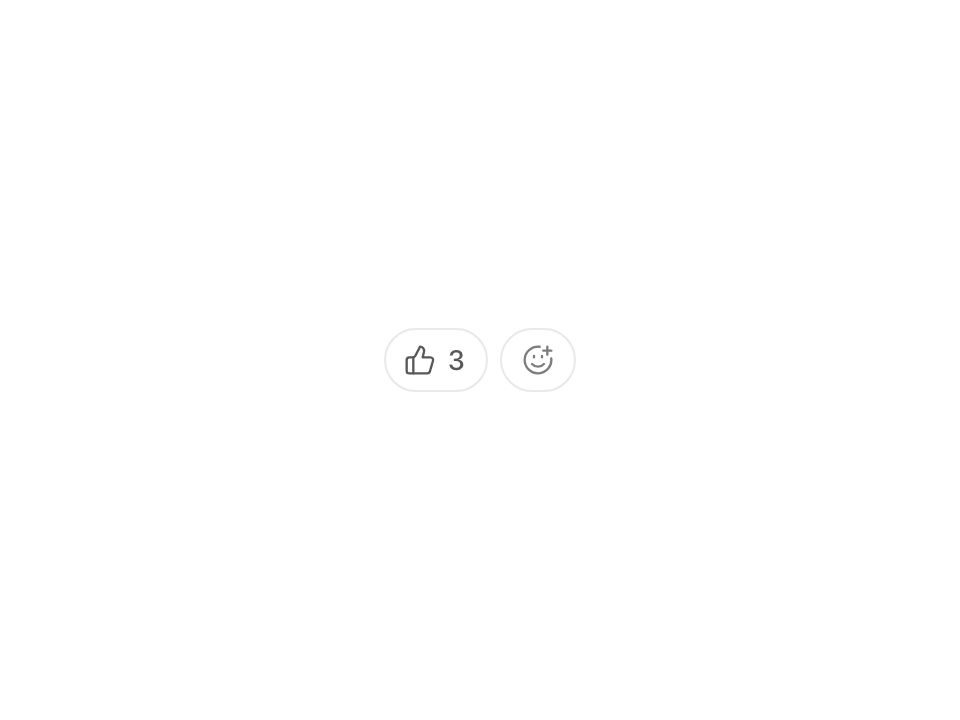
Live component. Click, hover, and type to try it.
Install
npx shadcn@latest add https://uiarc.dev/r/reactions.jsonAbout
Acknowledge a post in one tap, with counts that roll.
Live component. Click, hover, and type to try it.
npx shadcn@latest add https://uiarc.dev/r/reactions.jsonAcknowledge a post in one tap, with counts that roll.
"use client";

import { useEffect, useId, useLayoutEffect, useRef, useState, useSyncExternalStore } from "react";
import type { KeyboardEvent as ReactKeyboardEvent, RefObject } from "react";
import * as PopoverPrimitive from "@radix-ui/react-popover";
import { AnimatePresence, LayoutGroup, animate, motion, useMotionValue, useReducedMotion } from "motion/react";
import type { AnimationPlaybackControls, TargetAndTransition, Transition, Variants } from "motion/react";
import { Check, SmilePlus, X } from "lucide-react";
import type { LucideIcon } from "lucide-react";
import { motionTokens } from "../lib/motion-tokens";
import styles from "./reactions.module.css";

/**
 * A reaction bar for comments, posts, and release notes. Each pill shows one reaction and how many people chose it; the viewer's own reactions carry the accent.
 * Tapping a pill adds or removes the viewer's reaction, and the add button opens a compact picker that grows from it. Use it for quick acknowledgement;
 * when people need to say something specific, give them a reply field instead.
 */
export interface ReactionOption { id: string; label: string; icon: LucideIcon }
export interface Reaction { id: string; count: number; reacted: boolean }
export interface ReactionsProps {
  /** Every reaction the picker offers, in picker order. */
  options: ReactionOption[];
  /** Controlled reactions. Pills keep this order, and a reaction whose count reaches zero leaves the bar. */
  value?: Reaction[];
  defaultValue?: Reaction[];
  /** Called with the next reactions and the change that produced them. */
  onValueChange?: (next: Reaction[], change: { id: string; reacted: boolean }) => void;
  /** Accessible name for the bar. */
  label?: string;
  className?: string;
}

const enter = [...motionTokens.ease.enter] as [number, number, number, number];
const standard = [...motionTokens.ease.standard] as [number, number, number, number];
const blur = (px: number) => `blur(${px}px)`;
const noop = () => () => {};

/** Reduced motion only counts after hydration, so the server and the first client render always agree. */
function useReduced() {
  const hydrated = useSyncExternalStore(noop, () => true, () => false);
  const reduced = useReducedMotion() ?? false;
  return hydrated && reduced;
}

/** Follows the natural size of `content`: after `key` changes the size springs to it; any other resize (a late font, a reflow) jumps, so nothing wobbles on load. */
function useFollowSize(content: RefObject<HTMLElement | null>, axis: "width" | "height", key: string, reduced: boolean, transition: Transition) {
  const size = useMotionValue<number | "auto">("auto");
  const lastKey = useRef(key), armedUntil = useRef(0);
  useLayoutEffect(() => {
    if (lastKey.current === key) return;
    lastKey.current = key;
    armedUntil.current = performance.now() + 700;
  }, [key]);
  useEffect(() => {
    const node = content.current;
    if (!node || typeof ResizeObserver === "undefined") return;
    let measured = false;
    let sizing: AnimationPlaybackControls | undefined;
    // Border-box sizes ignore transforms, so a pill that is still scaling in reports its real width.
    const observer = new ResizeObserver(([entry]) => {
      if (!entry) return;
      const box = entry.borderBoxSize?.[0];
      const next = box ? (axis === "width" ? box.inlineSize : box.blockSize) : axis === "width" ? node.offsetWidth : node.offsetHeight;
      sizing?.stop();
      if (!measured || reduced || performance.now() > armedUntil.current) { measured = true; size.jump(next); return; }
      sizing = animate(size, next, transition);
    });
    observer.observe(node, { box: "border-box" });
    return () => { observer.disconnect(); sizing?.stop(); };
  }, [axis, content, reduced, size, transition]);
  return size;
}

/** Digits roll in the direction the count moved: up and out when it grows, down when it shrinks. Only the digits that change move. */
const digitMotion: Variants = {
  enter: (direction: number) => ({ opacity: 0, y: `${direction * .55}em`, filter: blur(motionTokens.blur.subtle) }),
  center: { opacity: 1, y: "0em", filter: blur(0) },
  exit: (direction: number) => ({ opacity: 0, y: `${direction * -.55}em`, filter: blur(motionTokens.blur.subtle), transition: { duration: motionTokens.duration.fast, ease: standard } }),
};
const digitStill: Variants = { enter: { opacity: 1 }, center: { opacity: 1 }, exit: { opacity: 0, transition: { duration: 0 } } };
const digitTransition = { y: motionTokens.spring.snappy, opacity: { duration: motionTokens.duration.fast, ease: enter }, filter: { duration: motionTokens.duration.fast, ease: enter } };

function RollingCount({ value, reduced }: { value: number; reduced: boolean }) {
  const [roll, setRoll] = useState({ value, direction: 1 });
  if (roll.value !== value) setRoll({ value, direction: value > roll.value ? 1 : -1 });
  const row = useRef<HTMLSpanElement>(null);
  const text = String(value);
  const width = useFollowSize(row, "width", text, reduced, motionTokens.spring.morph);
  return <motion.span className={styles.count} style={{ width }} aria-hidden="true">
    <span ref={row} className={styles.digits}>
      <AnimatePresence mode="popLayout" initial={false} custom={roll.direction}>
        {[...text].map((digit, index) => <motion.span key={`${text.length - index}:${digit}`} className={styles.digit} custom={roll.direction} variants={reduced ? digitStill : digitMotion}
          initial="enter" animate="center" exit="exit" transition={reduced ? { duration: 0 } : digitTransition}>{digit}</motion.span>)}
      </AnimatePresence>
    </span>
  </motion.span>;
}

/** An impulse rather than a keyframe: the icon starts at rest with velocity, overshoots, and settles. A quick second tap adds to the motion instead of restarting it. */
const kick = { type: "spring", stiffness: 420, damping: 39 } as const;

function KickIcon({ icon: Icon, pop, reduced }: { icon: LucideIcon; pop: number; reduced: boolean }) {
  const scale = useMotionValue(1), rotate = useMotionValue(0);
  const seen = useRef(0);
  useEffect(() => {
    if (pop <= seen.current) return;
    seen.current = pop;
    if (reduced) return;
    animate(scale, 1, { ...kick, velocity: scale.getVelocity() + 11 });
    animate(rotate, 0, { ...kick, velocity: rotate.getVelocity() - 420 });
  }, [pop, reduced, rotate, scale]);
  useEffect(() => () => { scale.stop(); rotate.stop(); }, [rotate, scale]);
  return <motion.span className={styles.icon} style={{ scale, rotate }} aria-hidden="true"><Icon size={16} strokeWidth={1.75} /></motion.span>;
}

const rest: TargetAndTransition = { opacity: 1, scale: 1, y: 0, filter: blur(0) };
const fadeIn: TargetAndTransition = { opacity: 0 };
const fadeOut: TargetAndTransition = { opacity: 0, transition: { duration: motionTokens.duration.instant } };
const pillIn: TargetAndTransition = { opacity: 0, scale: .5, filter: blur(motionTokens.blur.soft) };
const pillOut: TargetAndTransition = { opacity: 0, scale: .6, filter: blur(motionTokens.blur.subtle), transition: { duration: motionTokens.duration.fast, ease: standard } };
const pillTransition = { layout: motionTokens.spring.morph, scale: motionTokens.spring.snappy, opacity: { duration: motionTokens.duration.fast, ease: enter }, filter: { duration: motionTokens.duration.fast, ease: enter } };
const iconIn: TargetAndTransition = { opacity: 0, scale: .6, filter: blur(motionTokens.blur.subtle) };
const iconOut: TargetAndTransition = { ...iconIn, transition: { duration: motionTokens.duration.fast, ease: standard } };
const iconEnter = { ...motionTokens.spring.snappy, opacity: { duration: motionTokens.duration.fast, ease: enter }, filter: { duration: motionTokens.duration.fast, ease: enter } };
const textIn: TargetAndTransition = { opacity: 0, y: "0.3em", filter: blur(motionTokens.blur.soft) };
const textOut: TargetAndTransition = { opacity: 0, y: "-0.3em", filter: blur(motionTokens.blur.subtle), transition: { duration: motionTokens.duration.fast, ease: standard } };

/** The tray of every option. A shared highlight glides to the hovered or focused option, and a caption names it, so an icon never has to explain itself. */
function Picker({ options, reacted, reduced, onPick }: { options: ReactionOption[]; reacted: Set<string>; reduced: boolean; onPick: (id: string) => void }) {
  const [focusIndex, setFocusIndex] = useState(0);
  const [hovered, setHovered] = useState<number | null>(null);
  const active = Math.min(hovered ?? focusIndex, options.length - 1);
  const buttons = useRef<(HTMLButtonElement | null)[]>([]);
  const x = useMotionValue(0);
  const placed = useRef(false);
  useLayoutEffect(() => {
    const target = buttons.current[active]?.offsetLeft ?? 0;
    if (!placed.current || reduced) { placed.current = true; x.jump(target); return; }
    // A new target retargets the running spring and keeps its velocity, so a fast sweep glides instead of stepping.
    animate(x, target, motionTokens.spring.morph);
  }, [active, reduced, x]);
  useEffect(() => () => x.stop(), [x]);

  function onKeyDown(event: ReactKeyboardEvent<HTMLDivElement>) {
    const steps: Record<string, number> = { ArrowRight: 1, ArrowDown: 1, ArrowLeft: -1, ArrowUp: -1 };
    const count = options.length;
    const next = event.key in steps ? (focusIndex + steps[event.key]! + count) % count : event.key === "Home" ? 0 : event.key === "End" ? count - 1 : -1;
    if (next < 0) return;
    event.preventDefault();
    setHovered(null);
    setFocusIndex(next);
    buttons.current[next]?.focus();
  }

  const option = options[active];
  const chosen = option ? reacted.has(option.id) : false;
  return <>
    <div className={styles.options} role="toolbar" aria-label="Reactions" aria-orientation="horizontal" onKeyDown={onKeyDown} onPointerLeave={() => setHovered(null)}>
      <motion.span className={styles.highlight} style={{ x }} aria-hidden="true" />
      {options.map((item, index) => {
        const Icon = item.icon;
        const lit = index === active;
        return <motion.button key={item.id} ref={node => { buttons.current[index] = node; }} type="button" className={styles.option} aria-label={item.label} aria-pressed={reacted.has(item.id)} tabIndex={index === focusIndex ? 0 : -1}
          onFocus={() => setFocusIndex(index)} onPointerMove={event => { if (event.pointerType === "mouse" && hovered !== index) setHovered(index); }} onClick={() => onPick(item.id)}
          initial={reduced ? fadeIn : iconIn} animate={rest} transition={reduced ? { duration: motionTokens.duration.fast } : { ...iconEnter, delay: .04 + index * motionTokens.stagger.item, opacity: { ...iconEnter.opacity, delay: .04 + index * motionTokens.stagger.item }, filter: { ...iconEnter.filter, delay: .04 + index * motionTokens.stagger.item } }}>
          <motion.span className={styles.optionIcon} animate={{ scale: lit && !reduced ? 1.14 : 1, y: lit && !reduced ? -1 : 0 }} transition={motionTokens.spring.snappy}><Icon size={20} strokeWidth={1.75} aria-hidden="true" /></motion.span>
        </motion.button>;
      })}
    </div>
    <div className={styles.caption} aria-hidden="true">
      <AnimatePresence mode="popLayout" initial={false}>
        {option && <motion.span key={`${option.id}:${chosen}`} className={styles.captionText} initial={reduced ? fadeIn : textIn} animate={rest} exit={reduced ? fadeOut : textOut} transition={{ duration: reduced ? motionTokens.duration.fast : motionTokens.duration.standard, ease: enter }}>
          {chosen && <Check size={12} strokeWidth={2} />}{option.label}
        </motion.span>}
      </AnimatePresence>
    </div>
  </>;
}

export function Reactions({ options, value, defaultValue = [], onValueChange, label = "Reactions", className }: ReactionsProps) {
  const reduced = useReduced();
  const groupId = useId();
  const [own, setOwn] = useState(defaultValue);
  const list = value ?? own;
  const [pops, setPops] = useState<Record<string, number>>({});
  const [announcement, setAnnouncement] = useState("");
  const [open, setOpen] = useState(false);
  const bar = useRef<HTMLDivElement>(null);
  const trigger = useRef<HTMLButtonElement>(null);
  const refocus = useRef<string | null>(null);
  const byId = new Map(options.map(option => [option.id, option]));
  const shown = list.filter(reaction => reaction.count > 0 && byId.has(reaction.id));
  const reacted = new Set(shown.filter(reaction => reaction.reacted).map(reaction => reaction.id));
  // Wrapping onto a new row changes the bar's height; the height follows on a spring instead of shoving the content below.
  const height = useFollowSize(bar, "height", shown.map(reaction => `${reaction.id}${reaction.count}`).join(), reduced, motionTokens.spring.smooth);

  // A pill that leaves while focused hands focus to its neighbour, or to the add button, so keyboard users never fall back to the page.
  useLayoutEffect(() => {
    const target = refocus.current;
    if (!target) return;
    refocus.current = null;
    const next = target === "add" ? trigger.current : bar.current?.querySelector<HTMLElement>(`[data-reaction="${CSS.escape(target)}"]`);
    next?.focus();
  });

  function toggle(id: string) {
    const option = byId.get(id);
    if (!option) return;
    const current = shown.find(reaction => reaction.id === id);
    const add = !current?.reacted;
    const count = Math.max(0, (current?.count ?? 0) + (add ? 1 : -1));
    const next = current ? list.map(reaction => reaction.id === id ? { ...reaction, count, reacted: add } : reaction).filter(reaction => reaction.count > 0) : [...list.filter(reaction => reaction.id !== id), { id, count: 1, reacted: true }];
    if (count === 0) {
      const pill = bar.current?.querySelector(`[data-reaction="${CSS.escape(id)}"]`);
      if (pill && pill === document.activeElement) {
        const index = shown.findIndex(reaction => reaction.id === id);
        refocus.current = shown[index + 1]?.id ?? shown[index - 1]?.id ?? "add";
      }
    }
    if (add) setPops(previous => ({ ...previous, [id]: (previous[id] ?? 0) + 1 }));
    if (value === undefined) setOwn(next);
    setAnnouncement(add ? `Added ${option.label}. ${count} ${count === 1 ? "reaction" : "reactions"}.` : count ? `Removed ${option.label}. ${count} ${count === 1 ? "reaction" : "reactions"}.` : `Removed ${option.label}.`);
    onValueChange?.(next, { id, reacted: add });
  }

  function pick(id: string) {
    setOpen(false);
    trigger.current?.focus();
    toggle(id);
  }

  return <motion.div className={[styles.root, className].filter(Boolean).join(" ")} style={{ height }}>
    <div ref={bar} className={styles.bar} role="group" aria-label={label}>
      <LayoutGroup id={groupId}>
        <AnimatePresence mode="popLayout" initial={false}>
          {shown.map(reaction => {
            const option = byId.get(reaction.id)!;
            const noun = reaction.count === 1 ? "reaction" : "reactions";
            return <motion.button key={reaction.id} layout="position" type="button" className={styles.pill} data-reaction={reaction.id} aria-pressed={reaction.reacted}
              aria-label={`${option.label}, ${reaction.count} ${noun}${reaction.reacted ? ", including yours" : ""}`} onClick={() => toggle(reaction.id)}
              initial={reduced ? fadeIn : pillIn} animate={rest} exit={reduced ? fadeOut : pillOut} whileTap={{ scale: reduced ? 1 : .97 }}
              transition={reduced ? { duration: motionTokens.duration.fast, layout: { duration: 0 } } : pillTransition}>
              <KickIcon icon={option.icon} pop={pops[reaction.id] ?? 0} reduced={reduced} />
              <RollingCount value={reaction.count} reduced={reduced} />
              <span className={styles.tip} aria-hidden="true">{option.label}</span>
            </motion.button>;
          })}
        </AnimatePresence>
        <PopoverPrimitive.Root open={open} onOpenChange={setOpen}>
          {/* The add button anchors the picker, so it answers a press with colour and never scales. */}
          <PopoverPrimitive.Trigger asChild>
            <motion.button ref={trigger} layout="position" transition={reduced ? { layout: { duration: 0 } } : { layout: motionTokens.spring.morph }} type="button" className={styles.add} aria-label="Add reaction">
              <span className={styles.addIcon} aria-hidden="true">
                <AnimatePresence initial={false}>
                  <motion.span key={open ? "close" : "add"} className={styles.addGlyph} initial={reduced ? fadeIn : iconIn} animate={rest} exit={reduced ? fadeOut : iconOut} transition={reduced ? { duration: motionTokens.duration.fast } : iconEnter}>
                    {open ? <X size={16} strokeWidth={1.75} /> : <SmilePlus size={16} strokeWidth={1.75} />}
                  </motion.span>
                </AnimatePresence>
              </span>
              {!open && <span className={styles.tip} aria-hidden="true">Add reaction</span>}
            </motion.button>
          </PopoverPrimitive.Trigger>
          <AnimatePresence>
            {open && <PopoverPrimitive.Portal forceMount>
              {/* Focus returns by hand: at once after a pick or Escape, and not at all when people click away. */}
              <PopoverPrimitive.Content forceMount asChild side="top" align="center" sideOffset={8} collisionPadding={12} aria-label="Add a reaction"
                onEscapeKeyDown={() => trigger.current?.focus()} onCloseAutoFocus={event => event.preventDefault()}>
                <motion.div className={styles.picker} initial={reduced ? fadeIn : { opacity: 0, scale: .5, filter: blur(motionTokens.blur.soft) }} animate={rest}
                  exit={reduced ? fadeOut : { opacity: 0, scale: .9, filter: blur(motionTokens.blur.subtle), transition: { duration: motionTokens.duration.fast, ease: standard } }}
                  transition={reduced ? { duration: motionTokens.duration.fast } : { scale: motionTokens.spring.snappy, opacity: { duration: motionTokens.duration.fast, ease: standard }, filter: { duration: motionTokens.duration.fast, ease: enter } }}>
                  {/* An invisible arrow lets Radix place the transform origin on the trigger's centre, so the tray grows out of the button even when it shifts to stay on screen. */}
                  <PopoverPrimitive.Arrow width={0} height={0} className={styles.arrow} />
                  <Picker options={options} reacted={reacted} reduced={reduced} onPick={pick} />
                </motion.div>
              </PopoverPrimitive.Content>
            </PopoverPrimitive.Portal>}
          </AnimatePresence>
        </PopoverPrimitive.Root>
      </LayoutGroup>
    </div>
    <span className={styles.srOnly} role="status">{announcement}</span>
  </motion.div>;
}

export default Reactions;