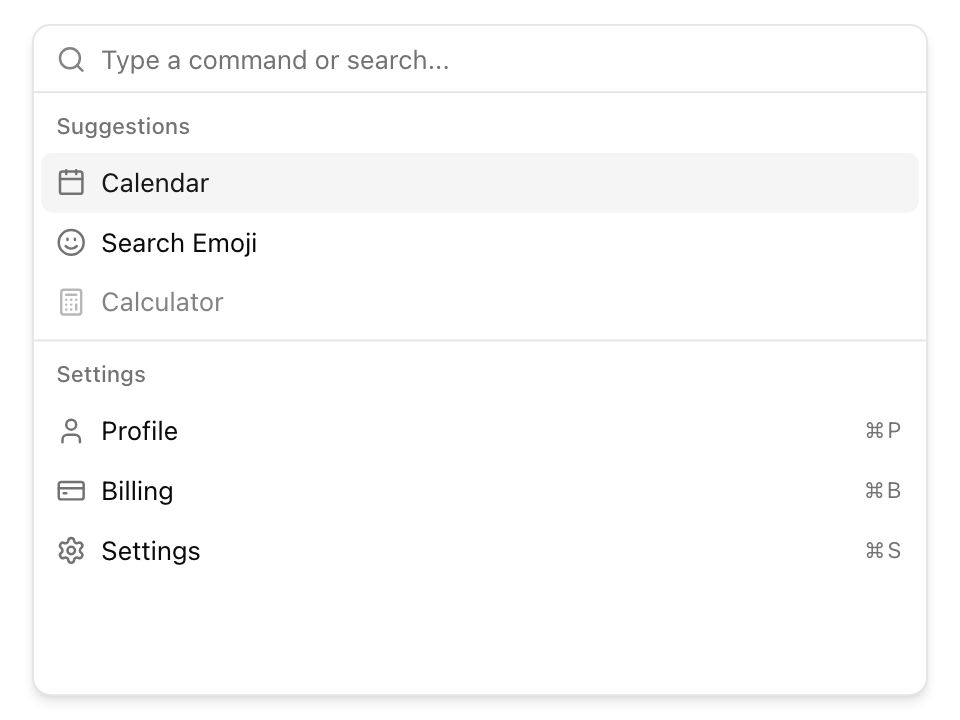
Command paletteNew
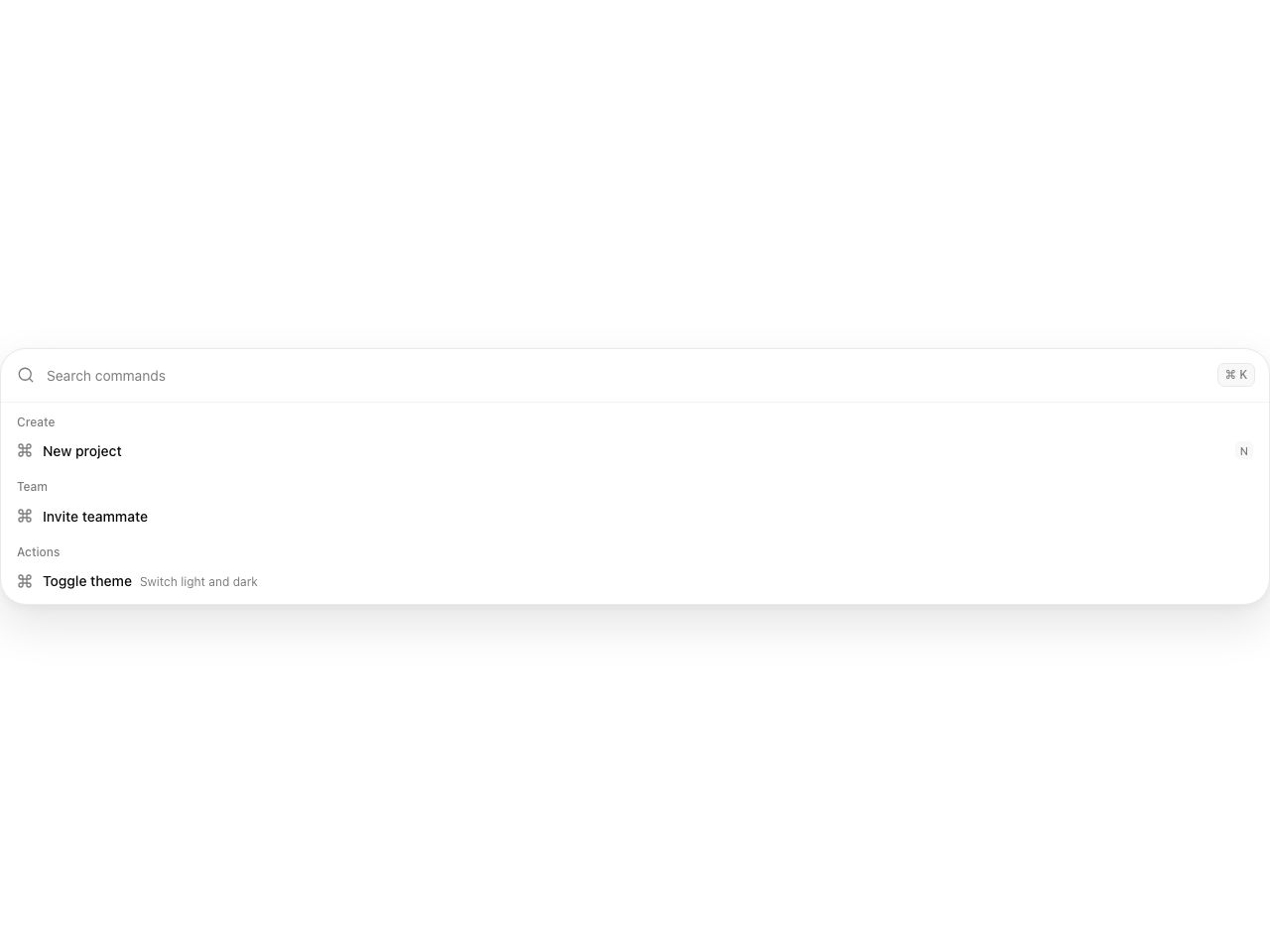
Live component. Click, hover, and type to try it.
Install
npx shadcn@latest add https://uiarc.dev/r/command-palette.jsonAbout
A complete keyboard driven action surface with search, grouped results, and shortcuts.
Live component. Click, hover, and type to try it.
npx shadcn@latest add https://uiarc.dev/r/command-palette.jsonA complete keyboard driven action surface with search, grouped results, and shortcuts.
"use client";

import { useEffect, useId, useLayoutEffect, useMemo, useRef, useState } from "react";
import type { KeyboardEvent as ReactKeyboardEvent, ReactNode } from "react";
import { AnimatePresence, animate, motion, useMotionValue, useReducedMotion } from "motion/react";
import type { Transition, ValueAnimationTransition, Variants } from "motion/react";
import { Command as CommandIcon, Search, X } from "lucide-react";
import { motionTokens } from "../lib/motion-tokens";
import styles from "./command-palette.module.css";

export interface CommandItem { id: string; label: string; description?: string; group?: string; keywords?: string[]; icon?: ReactNode; shortcut?: string; }
export interface CommandPaletteProps { items: CommandItem[]; placeholder?: string; onSelect?: (item: CommandItem) => void; onClose?: () => void; label?: string; /** Focus the search field on mount, for a palette that opens on demand. */ autoFocus?: boolean; }

const enter: Transition = { duration: motionTokens.duration.standard, ease: [...motionTokens.ease.enter] };
const leave: Transition = { duration: motionTokens.duration.instant, ease: [...motionTokens.ease.standard] };
const GLIDE_ROWS = 6;
/** Rows fade out while the rest glide into their place; when the list snaps they leave at once so nothing overlaps the new rows. */
const rowExit: Variants = { exit: (glide: boolean) => ({ opacity: 0, transition: glide ? leave : { duration: 0 } }) };

export function CommandPalette({ items, placeholder = "Search commands", onSelect, onClose, label = "Command palette", autoFocus = false }: CommandPaletteProps) {
  const inputId = useId();
  const [query, setQuery] = useState("");
  const [activeIndex, setActiveIndex] = useState<number | null>(null);
  const [listHeight, setListHeight] = useState<number | "auto">("auto");
  const reduced = useReducedMotion();
  const inputRef = useRef<HTMLInputElement>(null);
  const listRef = useRef<HTMLDivElement>(null);
  const pointer = useRef(false);
  const lastPointer = useRef({ x: -1, y: -1 });
  const highlightShown = useRef(false);
  const highlightY = useMotionValue(0);
  const highlightHeight = useMotionValue(0);
  const highlightOpacity = useMotionValue(0);
  const filtered = useMemo(() => {
    const normalized = query.trim().toLowerCase();
    if (!normalized) return items;
    return items.filter(item => [item.label, item.description, item.group, ...(item.keywords ?? [])].filter(Boolean).join(" ").toLowerCase().includes(normalized));
  }, [items, query]);
  const groupedItems = useMemo(() => {
    const grouped = new Map<string, Array<{ item: CommandItem; index: number }>>();
    filtered.forEach((item, index) => {
      const group = item.group ?? "Actions";
      const entries = grouped.get(group) ?? [];
      entries.push({ item, index });
      grouped.set(group, entries);
    });
    return [...grouped.entries()];
  }, [filtered]);
  // When every remaining row moves within about a viewport, the list closes its gaps with a glide. A long jump (the first letters typed into a long list) snaps like a search result list instead of streaking rows through the frame; only the frame height morphs.
  const [shift, setShift] = useState({ list: filtered, glide: true });
  if (shift.list !== filtered) {
    const before = new Map(shift.list.map((item, index) => [item.id, index]));
    setShift({ list: filtered, glide: filtered.every((item, index) => Math.abs((before.get(item.id) ?? index) - index) <= GLIDE_ROWS) });
  }
  const glide = shift.glide && !reduced;
  const safeActiveIndex = activeIndex === null
    ? -1
    : Math.min(activeIndex, Math.max(filtered.length - 1, 0));
  const activeId = filtered[safeActiveIndex]?.id;

  useEffect(() => {
    if (autoFocus) inputRef.current?.focus({ preventScroll: true });
  }, [autoFocus]);

  useEffect(() => {
    const focusShortcut = (event: KeyboardEvent) => {
      if ((event.metaKey || event.ctrlKey) && event.key.toLowerCase() === "k") {
        event.preventDefault();
        inputRef.current?.focus();
      }
    };
    document.addEventListener("keydown", focusShortcut);
    return () => document.removeEventListener("keydown", focusShortcut);
  }, []);

  // The results frame follows the list height, so filtering closes or opens the gap instead of snapping.
  useLayoutEffect(() => {
    const list = listRef.current;
    if (!list) return;
    const observer = new ResizeObserver(([entry]) => setListHeight(Math.round(entry?.borderBoxSize?.[0]?.blockSize ?? list.offsetHeight)));
    observer.observe(list);
    return () => observer.disconnect();
  }, []);

  // One highlight follows the active result: a spring for the pointer, a 70ms slide for arrow keys, a fade when it first appears.
  useLayoutEffect(() => {
    const node = activeId ? document.getElementById(`${inputId}-${activeId}`) : null;
    if (!node) {
      highlightShown.current = false;
      animate(highlightOpacity, 0, { duration: reduced ? 0 : .1 });
      return;
    }
    const move: ValueAnimationTransition<number> = !highlightShown.current || reduced ? { duration: 0 } : pointer.current ? motionTokens.spring.snappy : { duration: .07, ease: [...motionTokens.ease.enter] };
    // Rows sit inside positioned groups, so their offset is summed up to the list (layout transforms stay out of it).
    let top = 0;
    for (let element: HTMLElement | null = node; element && element !== listRef.current; element = element.offsetParent as HTMLElement | null) top += element.offsetTop + (element === node ? 0 : element.clientTop);
    animate(highlightY, top, move);
    animate(highlightHeight, node.offsetHeight, move);
    animate(highlightOpacity, 1, { duration: reduced ? 0 : .08 });
    highlightShown.current = true;
  }, [activeId, inputId, reduced, highlightY, highlightHeight, highlightOpacity]);

  useEffect(() => {
    if (!activeId) return;
    document.getElementById(`${inputId}-${activeId}`)?.scrollIntoView({ block: "nearest" });
  }, [activeId, inputId]);

  function choose(item: CommandItem) {
    onSelect?.(item);
    setQuery("");
    setActiveIndex(null);
    inputRef.current?.focus();
  }
  function handleKeyDown(event: ReactKeyboardEvent<HTMLInputElement>) {
    pointer.current = false;
    if (event.key === "ArrowDown") { event.preventDefault(); setActiveIndex(index => Math.min((index ?? -1) + 1, Math.max(filtered.length - 1, 0))); }
    if (event.key === "ArrowUp") { event.preventDefault(); setActiveIndex(index => Math.max((index ?? filtered.length) - 1, 0)); }
    if (event.key === "Home") { event.preventDefault(); setActiveIndex(0); }
    if (event.key === "End") { event.preventDefault(); setActiveIndex(Math.max(filtered.length - 1, 0)); }
    // Enter runs the highlighted result; after typing, with nothing highlighted yet, it runs the top match.
    const target = filtered[safeActiveIndex] ?? (query ? filtered[0] : undefined);
    if (event.key === "Enter" && target) { event.preventDefault(); choose(target); }
    if (event.key === "Escape") {
      event.preventDefault();
      if (query) { setQuery(""); setActiveIndex(null); }
      else onClose?.();
    }
  }

  return <motion.div className={styles.palette} initial={reduced ? false : { opacity: 0, y: 6, scale: .98 }} animate={{ opacity: 1, y: 0, scale: 1 }} transition={reduced ? { duration: 0 } : { default: motionTokens.spring.smooth, opacity: { duration: motionTokens.duration.fast, ease: [...motionTokens.ease.enter] } }}>
    <div className={styles.searchRow}>
      <span className={styles.searchIcon}><Search width={18} height={18} strokeWidth={1.75} aria-hidden="true"/></span>
      <label className={styles.visuallyHidden} htmlFor={inputId}>{label}</label>
      <input ref={inputRef} id={inputId} role="combobox" aria-autocomplete="list" aria-expanded="true" aria-controls={`${inputId}-results`} aria-activedescendant={activeId ? `${inputId}-${activeId}` : undefined} value={query} onChange={event => { setQuery(event.target.value); setActiveIndex(null); }} onKeyDown={handleKeyDown} placeholder={placeholder} autoComplete="off"/>
      <AnimatePresence mode="popLayout" initial={false}>
        {query ? <motion.button key="clear" className={styles.clearButton} type="button" aria-label="Clear search" onClick={() => { setQuery(""); setActiveIndex(null); inputRef.current?.focus(); }} initial={reduced ? false : { opacity: 0, scale: .6, filter: `blur(${motionTokens.blur.subtle}px)` }} animate={{ opacity: 1, scale: 1, filter: "blur(0px)" }} exit={reduced ? { opacity: 0, transition: { duration: 0 } } : { opacity: 0, scale: .6, filter: `blur(${motionTokens.blur.subtle}px)`, transition: leave }} transition={reduced ? { duration: 0 } : { default: motionTokens.spring.snappy, opacity: { duration: motionTokens.duration.instant } }}><X width={15} height={15} aria-hidden="true"/></motion.button> : null}
      </AnimatePresence>
      {onClose ? <button className={styles.closeButton} type="button" aria-label="Close command palette" onClick={onClose}>Esc</button> : null}
      <kbd className={styles.commandKey}>⌘ K</kbd>
    </div>
    <motion.div className={styles.resultsFrame} initial={false} animate={{ height: listHeight }} transition={reduced ? { duration: 0 } : motionTokens.spring.smooth}>
      <motion.div ref={listRef} layoutScroll id={`${inputId}-results`} className={styles.results} role="listbox" aria-label="Command results">
        <motion.span className={styles.highlight} style={{ y: highlightY, height: highlightHeight, opacity: highlightOpacity }} aria-hidden="true"/>
        {/* Results leave before the empty state arrives, so the frame makes one height change instead of two. */}
        <AnimatePresence mode="wait" initial={false}>
          {filtered.length ? <motion.div key="results" initial={reduced ? false : { opacity: 0 }} animate={{ opacity: 1 }} exit={reduced ? { opacity: 0, transition: { duration: 0 } } : { opacity: 0, transition: leave }} transition={enter}>
            {/* Filtered-out rows pop out of the flow as they fade, so the rest glide up and the frame starts closing on the same keystroke. */}
            <AnimatePresence mode="popLayout" initial={false} custom={glide}>
              {groupedItems.map(([group, entries]) => <motion.div layout={glide ? "position" : false} className={styles.group} role="group" aria-label={group} key={group} variants={rowExit} initial={reduced ? false : { opacity: 0 }} animate={{ opacity: 1 }} exit="exit" transition={reduced ? { duration: 0 } : { default: enter, layout: motionTokens.spring.smooth }}>
                <span className={styles.groupHeading} aria-hidden="true">{group}</span>
                <AnimatePresence mode="popLayout" initial={false} custom={glide}>{entries.map(({ item, index }) => <motion.button layout={glide ? "position" : false} key={item.id} id={`${inputId}-${item.id}`} className={`${styles.result} ${index === safeActiveIndex ? styles.activeResult : ""}`} type="button" role="option" aria-selected={index === safeActiveIndex} onClick={() => choose(item)} onPointerMove={event => {
                  // Ignore the synthetic moves browsers send while the list scrolls under a still pointer.
                  if (event.clientX === lastPointer.current.x && event.clientY === lastPointer.current.y) return;
                  lastPointer.current = { x: event.clientX, y: event.clientY };
                  if (index !== safeActiveIndex) { pointer.current = true; setActiveIndex(index); }
                }} variants={rowExit} initial={reduced ? false : { opacity: 0 }} animate={{ opacity: 1 }} exit="exit" transition={reduced ? { duration: 0 } : { default: enter, layout: motionTokens.spring.smooth }}><span className={styles.itemIcon} aria-hidden="true">{item.icon ?? <CommandIcon width={16} height={16}/>}</span><span className={styles.resultCopy}><strong>{item.label}</strong>{item.description && <small>{item.description}</small>}</span>{item.shortcut && <kbd className={styles.shortcut}>{item.shortcut}</kbd>}</motion.button>)}</AnimatePresence>
              </motion.div>)}
            </AnimatePresence>
          </motion.div> : <motion.div key="empty" className={styles.empty} initial={reduced ? false : { opacity: 0, y: 6, filter: `blur(${motionTokens.blur.subtle}px)` }} animate={{ opacity: 1, y: 0, filter: "blur(0px)" }} exit={reduced ? { opacity: 0, transition: { duration: 0 } } : { opacity: 0, y: -4, transition: leave }} transition={enter}><span><Search width={20} height={20} aria-hidden="true"/></span><strong>No matching actions</strong><small>Try a different word or clear the search.</small></motion.div>}
        </AnimatePresence>
      </motion.div>
    </motion.div>
  </motion.div>;
}

export default CommandPalette;